Why Factory Lumbar Systems Fall Short
Most modern vehicles include some form of built-in lumbar adjustment, but their effectiveness is highly variable. Entry-level seats often provide a fixed foam bolster with no user adjustment. Mid-range trims may include a mechanical dial that inflates a small bladder - functional in concept, but limited in range. Even premium seats with multi-directional lumbar controls are calibrated around average body dimensions that may not match yours.
The core problem isn't the technology - it's fit. A support designed for a 5'10" driver with an average torso will sit at the wrong vertebral level for someone shorter or longer in the trunk. When the support contacts the mid-back instead of the lumbar curve, it can actually increase lower-back fatigue by pushing the spine into a forward tilt. Understanding this mismatch is the first step toward solving it.
See our guide to in-car ergonomics for a full breakdown of how seat geometry interacts with driver posture.
How Aftermarket Lumbar Accessories Work
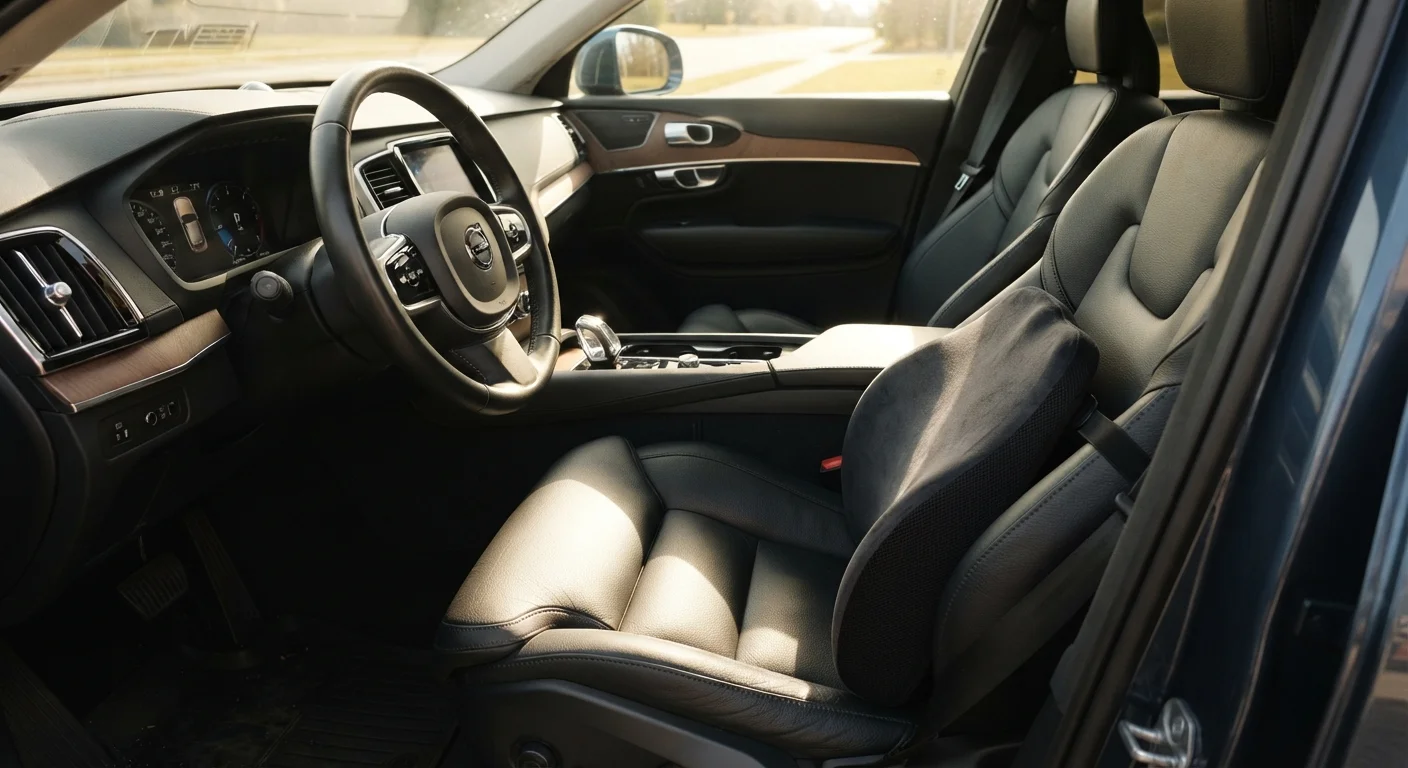
Aftermarket lumbar supports fall into three main categories: memory foam inserts, inflatable cushions, and structured back rests with rigid frames. Each addresses the same underlying need - filling the gap between your lower back and the seat - but with different trade-offs in adjustability, heat retention, and durability.
80%
Adults who experience lower back pain at some point
According to the National Institute of Neurological Disorders and Stroke, lower back pain is one of the most common reasons Americans seek medical care.
40%
Increase in disc pressure when seated vs. standing
Biomechanical research has shown that intradiscal pressure in the lumbar spine is measurably higher during unsupported sitting than in standing postures.
90 min
Recommended maximum seated interval without a break
Occupational health guidelines broadly recommend movement breaks every 90 minutes for workers in prolonged seated positions, including professional drivers.
Memory foam inserts are the most common and conform passively to your shape over time. Their limitation is that once compressed, they provide less resistance - meaning the support diminishes on very long drives. Inflatable cushions let you dial in firmness in real time, which is useful when fatigue shifts your posture. Structured supports with a rigid back plate offer consistent resistance but require a precise fit to avoid pressure points.
Critically, none of these accessories work in isolation. Pairing any insert with correct seat positioning amplifies its benefit considerably - something our all-day interior comfort guide covers in practical detail.
Test Placement Before a Long Drive
Before committing to an accessory on a road trip, wear it on a 30-minute local drive and pay attention to where you feel pressure and whether your posture feels stable or forced. Adjust height in small increments - even a one-inch shift can move the contact point from your lumbar curve to your mid-back. Small calibration sessions at low stakes prevent discomfort at high stakes.
Getting the Fit Right: Positioning and Calibration
The single most common mistake with lumbar accessories is mounting them too high. The lumbar spine begins just above the top of the pelvis - for most adults, this aligns roughly with the top of the waistband. Place the center of the support there, not at the natural waist or mid-back.
Seat recline also matters. At angles steeper than about 110 degrees from the seat base, your pelvis rotates backward and the lumbar curve flattens regardless of what support is behind it. Most ergonomists suggest a seatback angle between 100-110 degrees as a practical range that keeps the pelvis neutral and lets lumbar support do its job.
It's also worth noting that more cushioning isn't always better. An overly thick insert can push you too far forward in the seat, reducing thigh contact with the seat base and creating tension across the hip flexors. This connects directly to the broader point made in our article on when accessories help versus when they create new problems.
“Posture is dynamic, not static. Even a perfect ergonomic setup requires the body to move periodically - sustained loading in any single position, however well-supported, accumulates stress on passive spinal structures over time.”
— Occupational Ergonomics Research Community, Consensus position from ergonomics and human factors research literature
Realistic Expectations and When to Take a Break
Even the most well-fitted lumbar support has limits. Sustained static loading on the spine - regardless of posture - causes gradual fatigue in the muscles that hold your vertebrae in alignment. This is a physiological reality, not an equipment failure. Research in occupational ergonomics generally identifies 90-minute intervals as a threshold beyond which seated posture degrades meaningfully even in well-supported individuals.
Lumbar accessories are most effective as a tool that extends the window before fatigue sets in, not as a permanent substitute for movement breaks. Plan stops into long routes; even five minutes of walking reactivates the muscles that stabilize the lumbar spine during seated driving.
Fatigue from cabin noise compounds this effect - something worth understanding before a long-haul trip. Our article on how cabin noise contributes to driver fatigue explains the connection. For a broader pre-trip preparation framework, the road trip comfort checklist covers seating, climate, and ergonomic adjustments together.
Existing Back Conditions Require Professional Input
If you have a diagnosed spinal condition - including herniated discs, spinal stenosis, or scoliosis - an aftermarket lumbar accessory may not be appropriate without guidance from a physical therapist or spine specialist. Some conditions require specific postural angles or support positions that a general-purpose insert may not provide, and incorrect support could aggravate existing issues.