Why Driving Ergonomics Matter
Most drivers spend little time thinking about how they sit in their car - until something hurts. Neck stiffness after a commute, lower back tightness on a highway run, or wrist fatigue after city traffic are all symptoms of a poorly configured seating environment. These aren't minor inconveniences; over months and years of daily driving, cumulative musculoskeletal strain can become a real physical issue.
Driving ergonomics is the practice of configuring your seat, wheel, pedals, and mirrors so that your body is supported in a neutral, sustainable position. It also directly affects safety: a driver who is cramped, fatigued, or reaching awkwardly for the wheel has compromised reaction time and control. Good ergonomics and good safety overlap significantly.
Neutral posture
A body position where joints are not bent to extremes and muscles are under minimal tension - the baseline goal of any ergonomic setup.
Lumbar support
Support directed at the inward curve of the lower spine, designed to maintain its natural shape and reduce compression during prolonged sitting.
Telescoping steering column
A steering column that extends or retracts toward or away from the driver, allowing reach adjustment independent of seat position.
Seatback recline angle
The angle between the seat cushion and the seatback, measured in degrees - 90° is fully upright; most ergonomic guidance suggests slightly more than 90° for driving.
Cumulative strain
Physical stress that builds up gradually from repeated small stresses over time, rather than from a single injury - common in daily drivers who maintain a poor seating position.
Seat Position: The Foundation of Good Posture
Every ergonomic adjustment in the cabin builds on seat position, so start here before touching anything else.
Seat Height
Raise the seat until you have a clear, unobstructed view over the hood and dashboard without craning your neck. Your thighs should rest supported on the cushion without the seat edge pressing into the backs of your knees.
Seat Distance (Fore-Aft)
Slide forward until, with the clutch or brake pressed fully down, your knee remains slightly bent - never fully extended. A locked-out knee on pedal depression is a strong indicator you're sitting too far back. Too close, and your knee angle becomes severely acute, restricting circulation and reducing pedal precision.
Seatback Recline
A slight recline of roughly 100°-110° reduces lumbar compression compared to a rigid 90° upright position. Your shoulders should rest against the seatback, not hovering forward. If your vehicle has a lumbar adjustment, set it so the inward curve of your lower back is lightly supported - not pushed aggressively forward. For longer drives, our guide on lumbar support on long drives explores how supplemental support can help when the factory seat falls short.
Check Your Position With a Simple Test
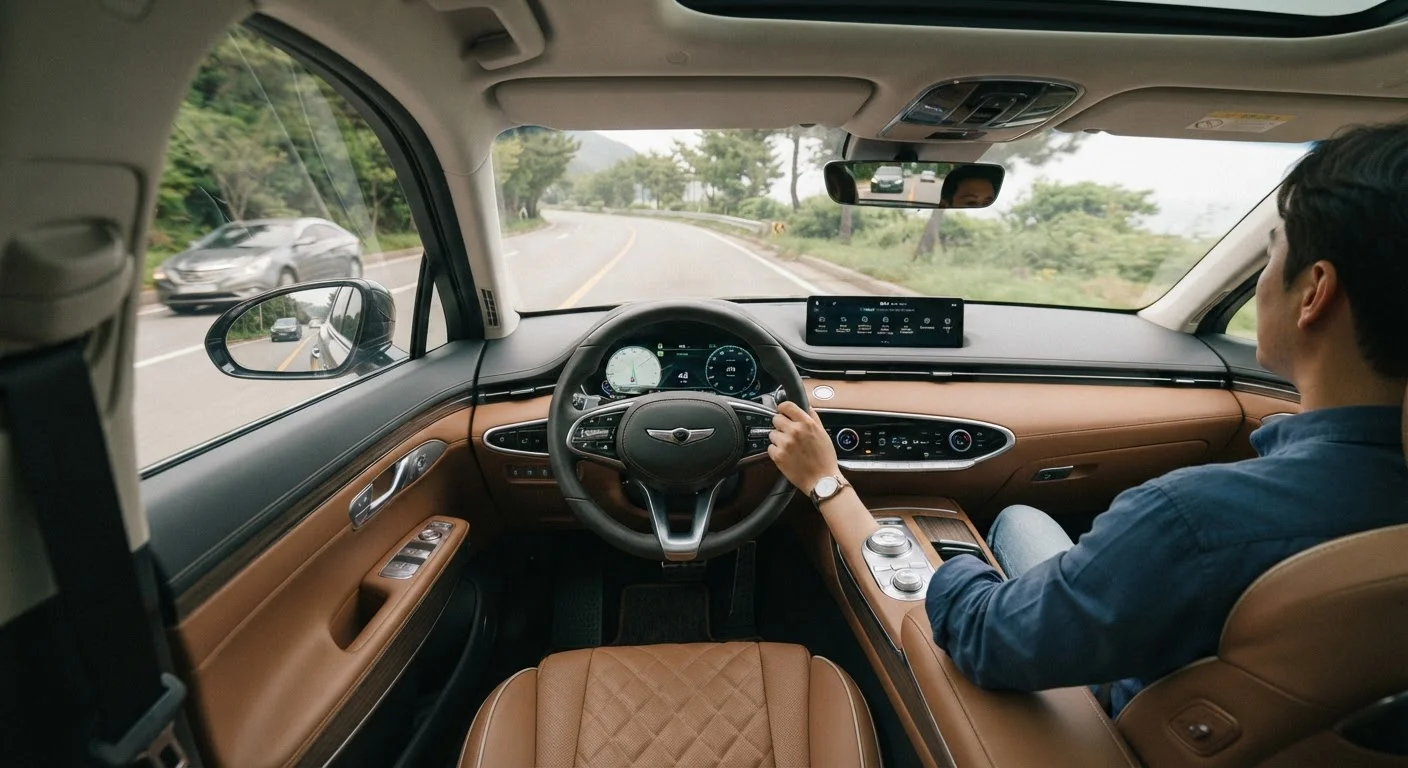
Sit in your adjusted seat and place your wrist over the top of the steering wheel - your arm should be nearly straight with only a slight bend at the elbow. If you're reaching or your elbow is acutely bent, your seat distance or wheel height still needs adjustment. This quick check takes seconds and is more reliable than guessing by feel alone.
Steering Wheel and Mirror Adjustments
Once your seat is dialed in, adjust the steering wheel - not the other way around. Many drivers do this backwards, then compensate with a compromised seat position.
Wheel Height and Reach
Most modern vehicles offer tilt and telescoping steering column adjustments. Position the wheel so your wrists can rest on the rim with arms nearly straight when extended - this means at actual driving position (elbows bent, hands at 9 and 3), you have a comfortable bend without stretching or bunching. Keep the wheel away from your knees; restricted leg movement is a safety concern and contributes to hip discomfort.
Mirror Setup
Mirrors should always be set after your seat is locked in. From your correctly positioned seat, adjust each side mirror to show just the rear corner of your vehicle at the inner edge of the frame. The center mirror should frame your full rear window. This setup minimizes head and neck rotation required to check mirrors, which is a meaningful reduction in strain on long drives.
If you find yourself frequently hunching toward the wheel to see controls or read the cluster, that's often a seat-height or recline issue - revisit those adjustments before assuming you need vision correction or a different vehicle.
Accessories That Support Better Ergonomics
Factory seating accommodates a wide range of body types without perfectly suiting any of them. Accessories can meaningfully close that gap.
Seat Cushions
Aftermarket seat cushions address two common issues: insufficient base cushion thickness and uneven pressure distribution. Foam, gel, and inflatable designs each take a different approach to support and heat dissipation. Our comparison of foam, gel, and inflatable seat cushions walks through the tradeoffs in practical terms, and for drivers with tailbone pressure concerns, the memory foam vs. coccyx cushion comparison is worth reviewing.
Steering Wheel Covers
A wheel cover changes the effective grip diameter and surface texture of your steering wheel. For drivers who find the stock wheel too thin or too slippery, a cover can reduce grip effort and hand fatigue. See our honest look at what steering wheel covers actually deliver before choosing one.
Accessory Fit Varies by Vehicle
Not all seat cushions, lumbar supports, or wheel covers are universally compatible with every seat or steering column design. Some bucket seats or contoured sport seats may not hold a flat cushion securely, and some wheel covers may not fit non-standard rim diameters. Always verify compatibility with your specific vehicle before purchasing.
Cabin Organization
Reaching repeatedly for items stored in awkward locations is a minor but real ergonomic issue. A tidy cabin reduces distraction-driven posture breaks. In-car organisation accessories that keep essentials within natural reach contribute more to driving comfort than many drivers expect.
Building Habits That Stick
Ergonomic configuration only helps if you maintain it. A few practical habits make this easier:
- Save your seat position if your vehicle has memory seat settings. If not, note your preferred settings and check them whenever someone else has driven your car.
- Adjust before you start moving. Reaching under yourself to raise the seat at a red light guarantees an imprecise result.
- Reassess after any change. New shoes, a different jacket, or even a different load in the cargo area can shift how you sit. A quick check takes under a minute.
- Take breaks on long drives. No ergonomic setup eliminates the need to get out and move. Standing, stretching, and walking briefly every 90-120 minutes helps reset muscle fatigue regardless of how well your seat is configured.
For a structured approach to longer journeys, our road trip comfort checklist covers ergonomic pre-departure steps alongside climate, storage, and route considerations. And if you want to go deeper on cabin setup for all-day use, setting up your car's interior for all-day comfort is a useful companion guide.