Why Interior Setup Matters More Than the Accessories You Buy
Most drivers assume cabin comfort is a product problem - solved by buying a lumbar pillow or a seat cushion. In practice, the arrangement and calibration of what's already in your car has a larger effect on how you feel at the end of a long drive. Poor seat geometry, misaligned mirrors, and improvised accessory placement each add small amounts of strain that compound over hours. Getting the setup right before you add anything extra is the smarter starting point.
This walkthrough focuses on the sequence that matters: structural adjustments first, climate calibration second, accessories last. If you're preparing for a road trip specifically, the Road Trip Comfort Checklist for Long-Haul Drivers expands on many of these categories in pre-departure format.
What you will need
Step-by-Step Interior Configuration
Work through these steps in order. Each one builds on the last - adjusting your mirrors before your seat position, for example, means you'll need to re-adjust them anyway.
Set Seat Distance from the Pedals
Sit naturally in the driver's seat without reaching for the wheel. Adjust the seat fore-aft position so your knees are slightly bent - roughly 20-30 degrees - when the clutch or brake is fully depressed. A fully extended leg when pressing the pedal is a common cause of lower back fatigue on longer drives.
Adjust Seat Height and Recline Angle
Raise the seat height until you have a clear sightline over the dashboard with at least a fist's clearance between your head and the headliner. The seat back should recline to approximately 100-110 degrees from vertical - slightly past upright. A fully upright 90-degree angle increases lumbar compression; too far back forces your neck forward to see the road.
Configure Lumbar Support
If your seat has adjustable lumbar, increase support until you feel light, even pressure across your lower back - not a point load. The goal is to maintain your spine's natural inward curve without forcing it. If your seat lacks built-in adjustment, a removable lumbar cushion placed at the curve of your lower back (not the mid-back) achieves the same result.
For more detail on how lumbar accessories interact with seat geometry, see Lumbar Support on Long Drives: What Actually Works.
Set Steering Wheel Position
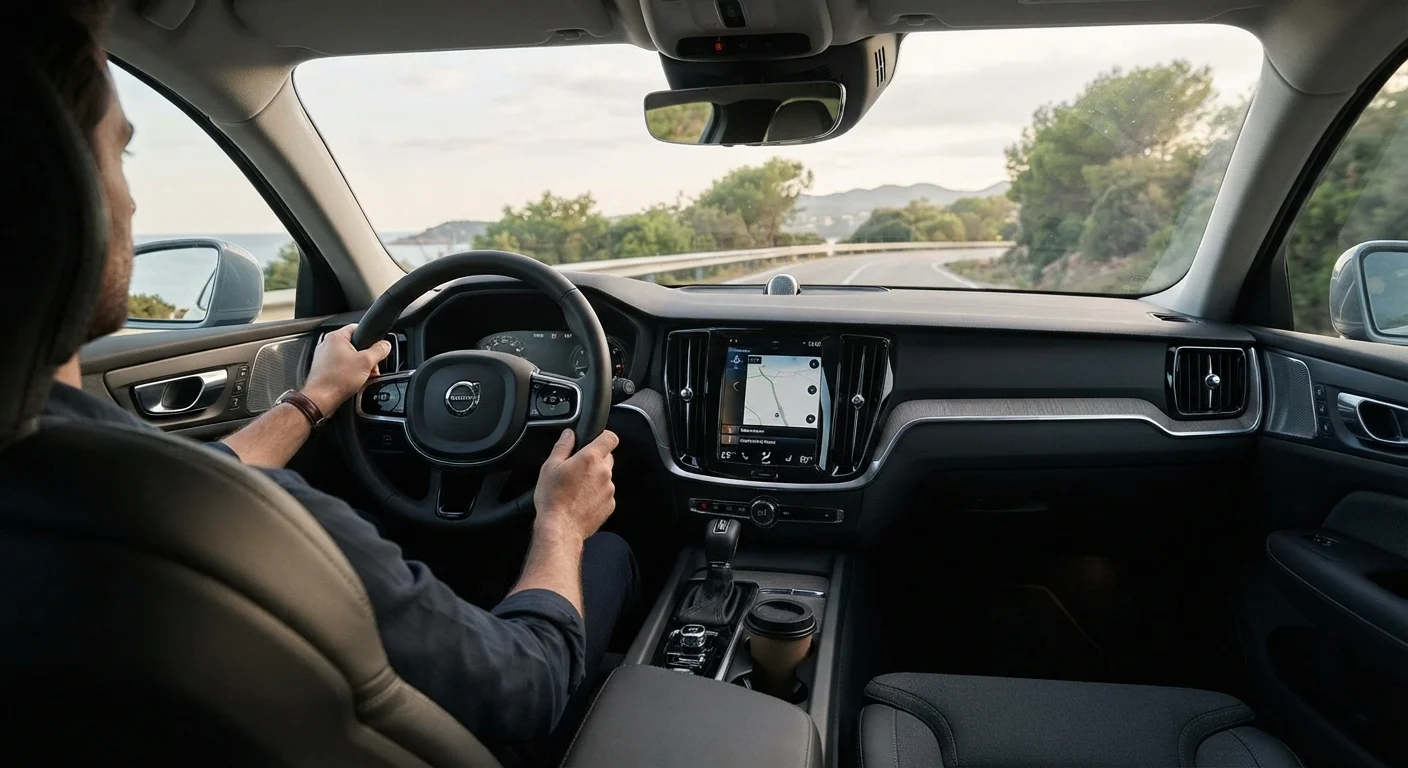
Adjust the steering wheel (tilt and telescope where available) so your wrists rest on the top of the wheel when your arms are extended but elbows are not locked. This keeps your shoulders relaxed and reduces tension in the upper back and neck during extended driving.
Align All Three Mirrors
Set the rearview mirror to frame the full rear window with minimal head movement required. For side mirrors, position them so a sliver of your vehicle's rear quarter is visible at the inside edge - this maximizes coverage of the blind zone with the least neck rotation. Correct mirror alignment reduces how often you turn your head, which matters considerably on multi-hour drives.
For a more comprehensive guide to ergonomic mirror and seat positioning, Ergonomics Inside the Car covers the full interaction between these adjustments.
Pre-Set Climate Controls
Before moving, set your HVAC system to a stable, comfortable temperature rather than leaving it on auto-react. Direct airflow toward the windshield and lower cabin rather than face vents for long drives - face-directed airflow dries out eyes and skin over time. If it's a hot day, pre-ventilating the cabin before entry significantly reduces the time to reach a comfortable temperature.
Reset Your Setup After Passengers Use Your Car
Shared vehicles often end up with seat, mirror, and wheel positions set for whoever drove last. Build a habit of running through the first four steps whenever you get in - it takes under two minutes once you know your preferred positions, and the ergonomic payoff compounds across every drive.
Accessory Placement and Cabin Organization
Once your ergonomic foundation is set, accessory placement becomes the next variable. Mounts, organizers, and support devices only help when they don't introduce new reach distances or visual clutter. A phone mount that puts your screen in the lower sightline is less distracting than one that sits center-dash at eye level. A seat-back organizer that keeps items within arm's reach without requiring you to twist laterally is more useful than one that technically creates storage but forces awkward movement.
The principle here is subtraction before addition - identify what's creating friction in your current setup before adding more gear. In-Car Organisation Accessories That Actually Reduce Driver Stress covers this approach in detail, with a focus on which categories of organizer genuinely reduce cognitive load versus those that just relocate the clutter. Also worth keeping in mind: adding more accessories doesn't always mean a more comfortable ride - overcrowding the cabin with comfort gear can create new pressure points and distractions.
Don't Mount Accessories That Obstruct Sightlines
Dashboard and windshield mounts placed in the driver's direct forward sightline are a safety hazard regardless of how convenient they are for navigation. In many US states, windshield obstruction from mounted devices can constitute a traffic violation. Keep mounts in the lower dashboard area or on a vent where they stay within peripheral vision rather than blocking it.
Climate and Noise: The Overlooked Comfort Variables
Temperature regulation and cabin noise are the two comfort factors most drivers treat reactively. Turning the A/C up because it's hot, or increasing volume to override road noise, are both compensations for a setup that wasn't dialed in at the start. Pre-cooling or pre-heating the cabin before departure makes a measurable difference in how quickly you reach a stable, comfortable temperature - and stable environments reduce the low-level cognitive effort of continuously adjusting.
Understanding how your car's system works helps here. Climate control vs. manual A/C behave differently in terms of humidity management and consistency - knowing which you have changes how you should use it. On the noise side, road and wind noise above a certain threshold contribute to fatigue even when you've adapted to it consciously. Cabin noise and long-distance fatigue explores that connection and the accessory categories that address it effectively.