Why Internet Is Your Most Critical Infrastructure
Before choosing a campsite or parking spot, working RVers need to treat internet connectivity as a non-negotiable infrastructure decision-not an afterthought. Cellular data remains the backbone for most mobile workers, but signal quality varies significantly by region, carrier, and terrain. A strong signal in one campground can drop to unusable at a site twenty miles away.
The most effective approach is layering: a primary cellular data plan, a backup from a second carrier, and campground Wi-Fi as a tertiary option when available. Satellite internet services have improved meaningfully and now offer lower latency options suited to video calls, though coverage, equipment size, and monthly costs vary. See our breakdown of RV internet options by region for a more detailed comparison of each approach.
~30%
US workers with remote-capable jobs
Pew Research Center has reported that roughly 35% of workers with remote-capable jobs work from home all or most of the time, a figure that expanded significantly after 2020.
4G/LTE
Coverage gap in rural US counties
The FCC has documented persistent 4G LTE coverage gaps in rural and remote US regions, directly affecting cellular reliability on popular RV routes.
Signal boosters and external antennas can meaningfully extend cellular range in fringe areas, but they cannot create signal where none exists. Always research carrier coverage maps for your planned routes before committing to a location-dependent work schedule.
Power Management: The Constraint Most RVers Underestimate
Electricity is the invisible ceiling on RV remote work. Running a laptop, external monitor, router, and lighting simultaneously draws more amperage than many RVers anticipate, particularly in rigs without shore power hookups. Understanding your rig's battery bank capacity-measured in amp-hours-and your inverter's wattage ceiling is foundational knowledge, not optional.
Audit your daily power consumption before hitting the road.
Most remote workers don't account for cumulative draw from monitors, routers, phone chargers, and lighting running simultaneously. Exceeding your inverter's capacity mid-workday is a disruptive and avoidable problem.
Always carry at least two independent internet sources.
No single carrier covers every route, and campground Wi-Fi is frequently congested or unreliable. A single-source dependency creates a serious risk for deadline-driven work.
Plan campsites based on connectivity requirements, not just scenery.
Remote locations offer stunning views but can make professional obligations impossible to meet. Matching site selection to your work schedule prevents last-minute scrambles.
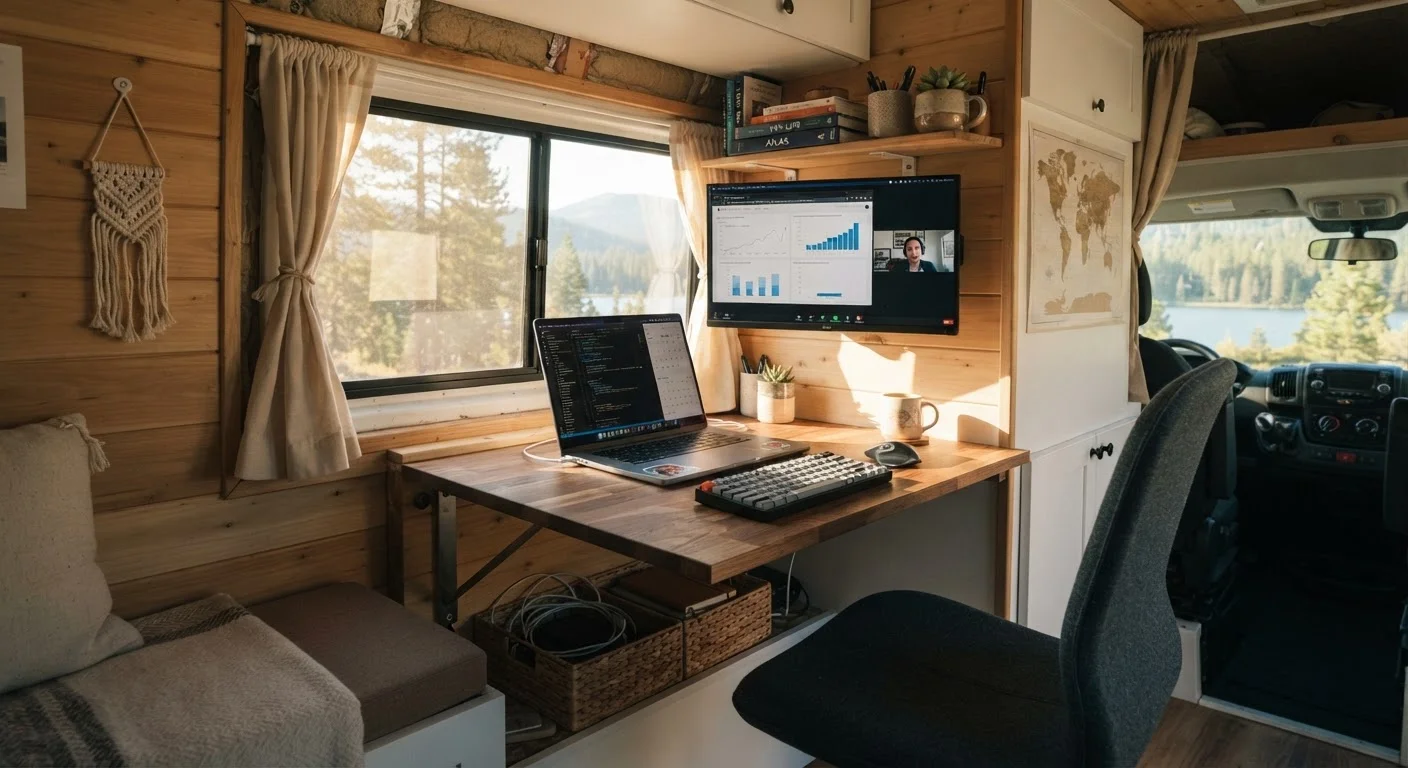
Designate a fixed workspace within the RV, even if compact.
Working from rotating spots-bed, dinette, passenger seat-introduces ergonomic strain and blurs the mental boundary between work and rest, which matters more in a small living space.
Communicate your schedule clearly to campground neighbors when needed.
Generator use, extended outdoor meetings on speakerphone, and daytime noise all affect campsite etiquette. Proactive communication prevents friction with neighbors.
Full hookup campgrounds eliminate most power anxiety, but boondocking or dry camping requires careful load management. A lithium battery upgrade combined with adequate solar panel capacity can support a full workday of computing, but sizing that system correctly depends on your specific power draw. Our guide on boondocking vs. campground living covers how these trade-offs play out in practice.
Building a Functional Workspace Inside a Small Footprint
Not every RV floor plan lends itself to a comfortable work environment. Dinette tables and bed laps are common improvised desks, but they create ergonomic problems over a full workday. RVers who work remotely benefit from floor plans that include a dedicated slide-out, a Murphy bed that folds away to free floor space, or a rear bunkhouse converted to an office area.
Ergonomics Count in a Tiny Space
A portable laptop stand, compact wireless keyboard, and small external monitor can transform an awkward dinette setup into a genuinely usable workstation. These items pack flat and add minimal weight. Prioritize screen height-working from a laptop on a flat table surface for hours causes neck strain that compounds quickly when you can't easily leave the space.
If you're selecting or reconfiguring an RV with remote work in mind, our article on reading an RV layout for home office use walks through exactly which layout features support productive work and which create daily frustration. Lighting is also underappreciated: harsh overhead LED strips and glare on laptop screens make video calls look unprofessional and cause eye strain during long sessions.
Scheduling, Noise, and the Realities of Shared Space
RV walls are thin. If you share your rig with a partner, children, or pets, coordinating quiet hours for calls and focused work is as important as any technical setup. Noise-canceling headsets mitigate some issues on calls but don't solve the problem of background disruption during deep work tasks.
Many working RVers find that establishing a consistent daily schedule-including defined start times, call blocks, and offline hours-reduces conflict and improves output. Libraries, coffee shops near campgrounds, and co-working spaces in RV-friendly towns offer overflow options when in-rig conditions aren't workable. Understanding RV living fundamentals early in the process helps set realistic expectations about shared-space dynamics before they become friction points.
Employer Policies May Affect Your Options
Some employers have IT security policies that restrict work from public networks or require VPN use on all connections. Before committing to an RV work lifestyle, confirm with your employer or IT department what connectivity requirements apply to your role. VPN performance over cellular or satellite can also differ from a fixed broadband connection, which may affect specific applications.
The hidden costs of sustaining a remote-work setup-upgraded data plans, battery systems, co-working day passes-add up. Our article on the hidden costs of full-time RV living includes a realistic look at these ongoing expenses.